
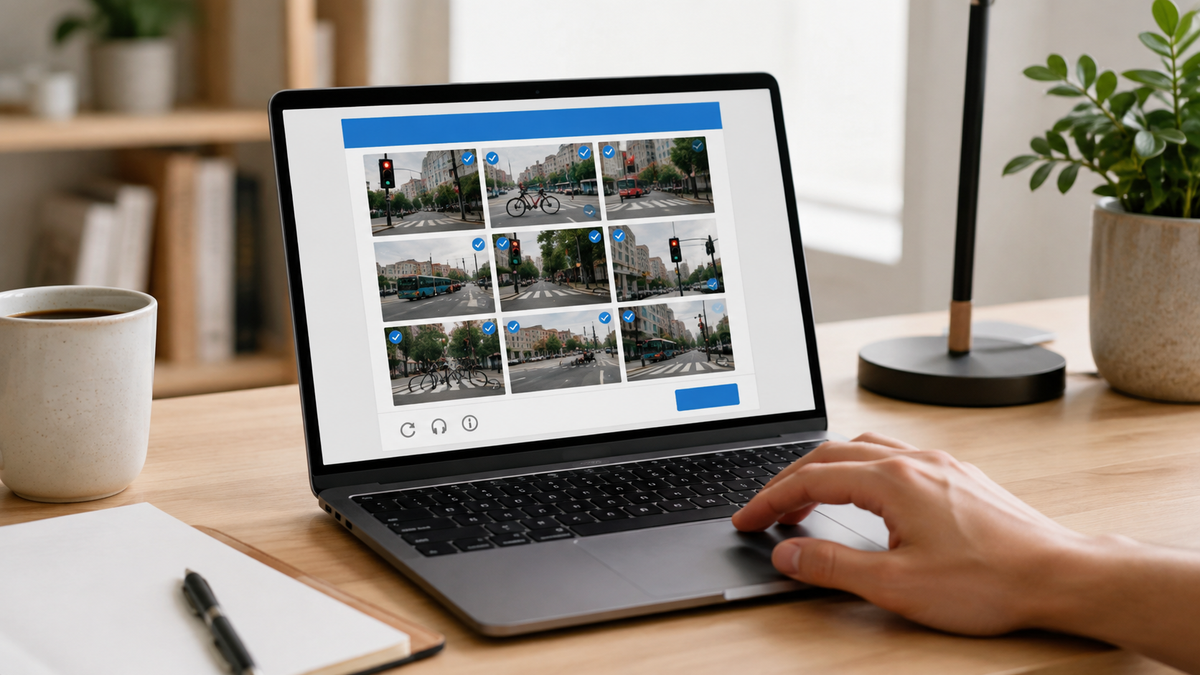
CAPTCHA can interrupt you at the worst possible moment, but the check has a specific purpose. Knowing what it can test makes those traffic-light grids and tick boxes easier to understand.


You are halfway through a form, ready to submit, and a website wants you to identify traffic lights or prove you are not a robot. CAPTCHA can look like pointless admin, but it has a specific security job.
The extra step can be annoying, especially when password admin already turns a simple login into a chore. However, the check has a separate purpose from your password.
 Liz Thorne
What CAPTCHA is meant to stop
CAPTCHA stands for Completely Automated Public Turing test to tell Computers and Humans Apart. Websites can use it to reduce spam, fake account creation, and attacks performed by bots. Software can send large volumes of requests, fill in forms, or attempt account actions without a person doing each one manually. CAPTCHA places an extra test before the website accepts the request.
CAPTCHA is not deciding whether you are trustworthy or checking who you are. It is testing whether the action appears to come from a person instead of software. Website safety and identity verification are separate issues.
Why you get traffic lights, text, or picture grids
CAPTCHA tests take several forms. Some online forms ask you to type characters shown in an image before the form can be submitted, giving the website another way to check that a person is behind the request. The task can seem random from your side, but it gives the website another way to distinguish human input from scripts.
CAPTCHA also differs from passkeys and two-factor authentication. Those security methods help verify account access, while CAPTCHA checks the interaction taking place before an action proceeds.
 Liz Thorne
A CAPTCHA does not prove a website is safe
Cybercriminals can copy familiar security screens. A 2026 breach of the South African Human Rights Commission website involved a fake reCAPTCHA-style prompt that instructed visitors to paste code into PowerShell.
A CAPTCHA that asks you to open PowerShell, paste commands, install software, or provide sensitive information deserves suspicion. The same caution applies to urgent verification prompts and fake pages that try to push you into acting before checking the page.
 Liz Thorne
A familiar security screen can lower your guard because you have seen it countless times before, but familiarity is not verification. If the next instruction asks you to do something unusual, stop before following it.
CAPTCHA has a simple job: place a human check before certain website actions can proceed. It helps filter bot activity from genuine use, which is why you encounter it on forms, logins, and account recovery pages. Knowing its purpose makes the interruption easier to understand without giving the screen more authority than it has.
 Anchen Coetzee
 Naomi Roebert
 Lynette Spencer
 Mariana Balt



Comments ()