
The anti-theft phone setup for packed Cape Town events
Your phone does everything at an event, which makes it the easiest thing to lose. A proper setup before you leave home changes how much damage a bad moment can do.
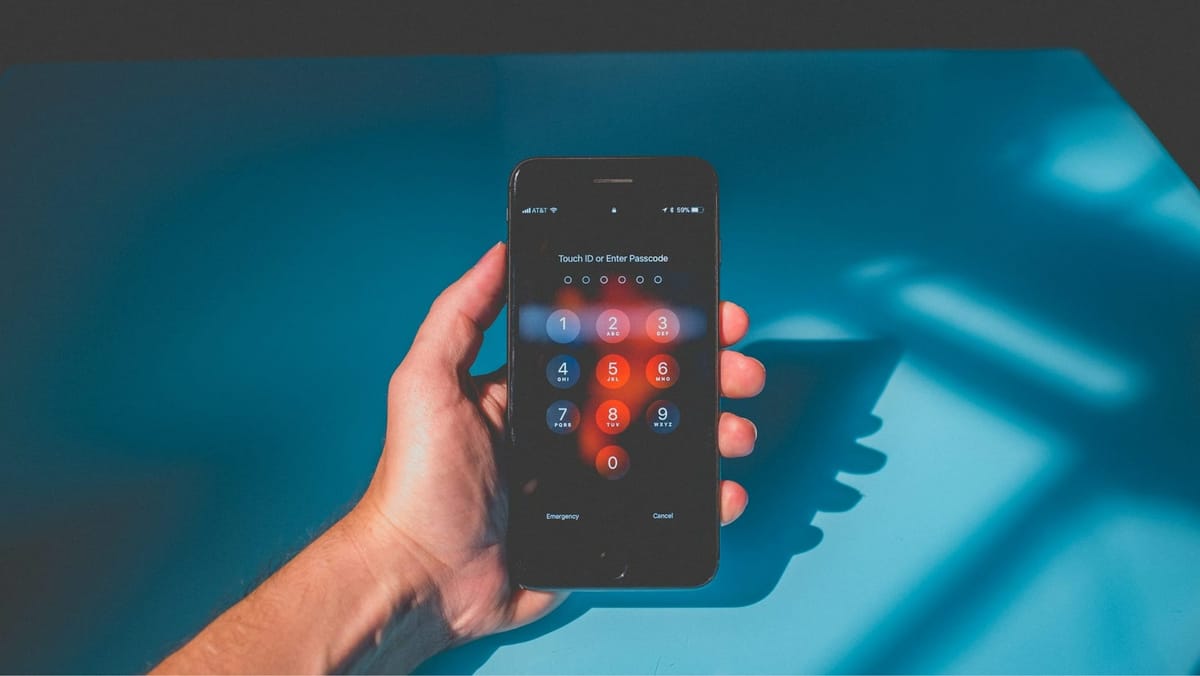
A packed Cape Town event turns a phone into more than a camera with attitude. It is your ticket, map, ride plan, emergency line and evidence folder, which is why the city’s weekend tech routine deserves a security plan before anyone reaches the queue.
Cape Town crowds don't gather in one neat lane at all. CTICC expos, Green Point fan walks, Kloof Street nights, Harrington Street dance floors, Sea Point dinners and fandom weekends all put hands, bags and jackets into the same small spaces.
Large local fan gatherings have become Cape Town crowd economy moments, where identity, costume planning and content meet in one venue.
Why packed Cape Town events change the phone-risk equation
Cape Town has enough event density to make phone security more than a “tourist area” concern. The City’s event page shows a May calendar with road races, football, tech conferences, expos and comedy, while the CTICC visitor page shows a pipeline of Foreshore events through the year.
Crowds create the thief’s favourite cover
A venue queue isn't only people waiting to enter. It's normally one person filming the sign, another searching for a QR code, someone opening a map, someone else checking the group chat, and half the line pretending they're not silently judging the person holding everyone up.
A phone theft plan needs two jobs, namely, reducing the chance of the phone leaving your hand, and reducing the damage if it does. The first job is physical, but the second is account security, recovery access and boring admin done before the event.
A packed venue isn't the place to realise your recovery plan is trapped on the missing phone. The useful version is simple, know the account email, know the IMEI, and know who to contact before the crowd spits you out onto Long Street.
The setup before you leave home
Audit the lock screen
Use biometrics and a passcode only you know. Remove message previews from the lock screen, especially one-time codes, email snippets and app alerts. Add one emergency contact option if your phone supports it, but do not place your home address on the lock screen unless you enjoy giving criminals side quests.
Record the recovery details somewhere else
Google’s help page states that a mobile service provider can use a device’s IMEI number to disable it, and the SAPS FAQ instructs South Africans to contact their network provider after a stolen phone report and request a blacklisting reference number.
Write these down before the event:
- IMEI number
- Device serial number
- Apple Account or Google account email
- Network provider helpline
- Insurance policy number, if relevant
- One trusted person who can help you sign in from another device.
Put the phone on a short leash
A wrist strap, zipped front pocket or crossbody bag facing your body is not overthinking it. Back pockets, open tote bags and tables near the pavement are invitations with stitching.
iPhone settings worth turning on
Find My and Activation Lock
Activation Lock links the device to your account, which makes it less useful to anyone else after loss or theft. Switch on Find My before event day and leave the device linked, even after a remote erase, or the lock can fall away.
Stolen Device Protection
Extra protection layers limit what can be changed if someone has the phone in hand. Turn this on and set it to “Always” where available. Sensitive actions then require biometric checks, with a delay before key security settings can be altered.
Lost Mode
If your iPhone disappears, mark it as lost through Find My or iCloud without delay. Your device will lock down and block account changes while you work through recovery.
Android settings worth turning on
Find Hub
Check that the device is signed in, location services are active, and Find Hub has permission to locate it. The tool can ring the phone, show its location, lock it, or wipe it if recovery is not possible.
Theft protection
Supported devices include a set of locks under theft protection in settings, including:
- Theft Detection Lock reacts to sudden movement patterns and locks the screen
- Offline Device Lock secures the phone after it loses connection
- Failed Authentication Lock triggers after repeated incorrect unlock attempts
- Remote Lock lets you secure the device using a verified number.
Your phone does not need a cinematic security ritual. It needs fewer public appearances, a stronger lock, and a recovery route outside the screen.
The Cape Town event rule: Less time in your hand, faster recovery
Use the two-zone rule
Zone one is high-density areas, gates, escalators, bar queues, merch tables, taxi pick-up points and the pavement outside the venue. In zone one, only whip out your phone for ticket scanning, urgent contact or a ride check.
Zone two includes seated areas, quieter corners, inside a group, or anywhere you can look up without losing the device. This is where photos, admin and location sharing belong.
Make the group plan before the queue
- Choose a meeting point outside the main entrance
- Nominate one person with a charged phone as the backup contact
- Use live location sharing with one trusted friend only, then end it after the trip home
- Put ticket screenshots in an album before leaving
- Store the phone in the same place every time, not wherever your hand panics first.
Stop table-edge phone culture
Bree Street, Kloof Street, the V&A, Sea Point and Harrington Street all have the same small villain: the phone face-up on a table near a moving crowd. While the photo might look casual, the setup isn't.
When the phone is gone, act in order
Don't chase after them like you're on Brooklyn Nine-Nine
Go to staff, security or a well-lit public spot. A stolen phone is expensive; a physical confrontation is worse.
Lock first, then report
- iPhone: Use Find My or iCloud to mark the phone as lost.
- Android: Use Remote Lock or Find Hub to lock, secure or erase the device.
- Network provider: Blacklist the device and save the reference number.
- SAPS: Report the theft with the serial number or IMEI.
- Bank: Contact your bank if any banking app, card, wallet or authentication app could be accessed.
According to Apple, local police may request the serial number for a missing iPhone or iPad, while Google's Find Hub can help find, secure or erase a lost Android device.



Comments ()